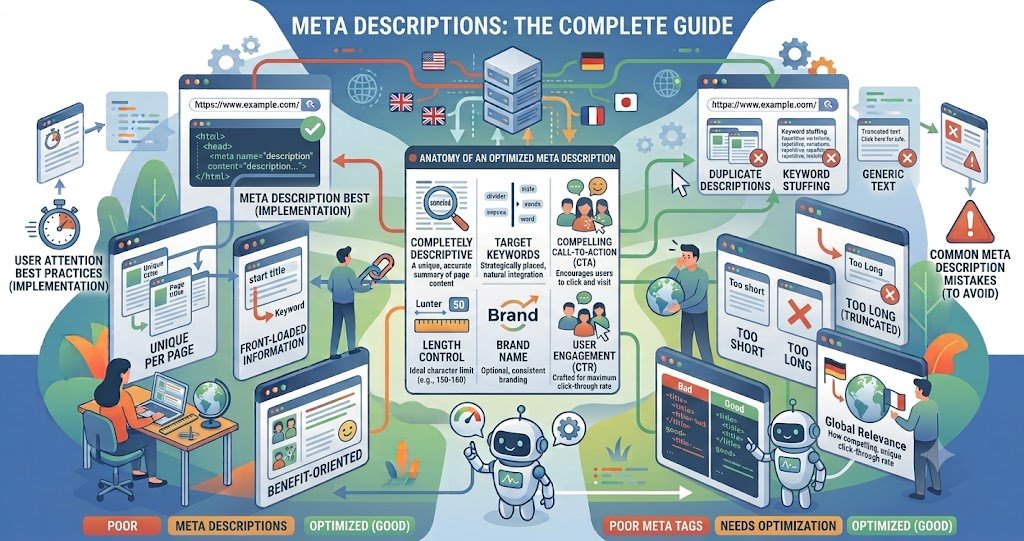
Meta Descriptions: The Complete Guide
Meta descriptions don’t influence rankings directly, but they’re one of the few elements you fully control in the search results — and they still shape whether someone clicks. This guide covers what meta descriptions are, how long they should be in 2026, and how to write ones that earn clicks
Key Takeaways
- A meta description is an HTML tag summarizing a page; Google displays it under the title in search results.
- It’s not a direct ranking factor, but it affects click-through rate (CTR), an indirect performance signal.
- Google truncates by pixel width, not character count — roughly 920px on desktop and 580–680px on mobile.
- As a practical target, aim for 150–160 characters on desktop and keep the core message within the first 120 characters for mobile.
- Google rewrites meta descriptions in a large share of searches — often cited around 60–70% — when it finds a better-matching snippet elsewhere on the page.
- Every page should have a unique, specific description — duplicates or missing tags hurt CTR and can trigger auto-generated snippets.
What Is a Meta Description?
A meta description is an HTML <meta name=”description”> tag placed in a page’s <head>. It doesn’t render on the page itself; it exists purely to summarize the content for search engines and, when used, for the snippet shown in search results.
Do Meta Descriptions Affect Rankings?
No. Google has repeatedly confirmed meta descriptions are not a direct ranking factor. Their real value is behavioral: a compelling, relevant description improves CTR, and CTR patterns can indirectly influence how a page performs over time. A poor or missing description often gets replaced by Google’s own auto-generated snippet, which may not represent your page as well as your own copy would.
Ideal Length in 2026 (Characters vs. Pixels)
The “155–160 character” rule has been the standard guideline for years, but it’s an approximation. Google actually truncates based on rendered pixel width, not a fixed character count — which is why two descriptions of the same length can display differently depending on which letters they use. Wide characters (W, M, capital letters) consume more pixel space than narrow ones (i, l, t).
Practical targets for 2026:
- Desktop: ~920 pixels, roughly 150–160 characters
- Mobile: ~580–680 pixels, roughly 120 characters
Since mobile accounts for more than half of most sites’ search traffic, front-load your keyword, value proposition, and any call to action within the first 120 characters so the message survives on smaller screens. Use a pixel-based preview tool before publishing rather than relying on a character counter alone.
How to Write an Effective Meta Description
- Match search intent. Reflect what the page actually delivers, using language close to how people search.
- Front-load the value. Put the most persuasive detail first — it’s the part guaranteed to survive truncation.
- Include a natural keyword. Google sometimes bolds matching query terms in the snippet, which can draw the eye.
- Add a light call to action (“Learn how,” “Compare options,” “See pricing”) without sounding like an ad.
- Make every page unique. Duplicate descriptions across a site waste an opportunity and can look thin to both users and Google.
- Preview before publishing. Check pixel width on both desktop and mobile, since Google rewrites descriptions often when yours doesn’t match a specific query well.
Common Mistakes
- Stuffing keywords unnaturally instead of writing for a human reader
- Leaving the field blank and letting Google auto-generate a snippet
- Writing generic, template-based descriptions across many pages
- Ignoring the mobile pixel cutoff and losing the CTA to truncation
Conclusion
Meta descriptions won’t move your rankings on their own, but they’re your pitch in the search results — the difference between a scroll-past and a click. Write to the pixel limit, lead with the value, and treat every page’s description as unique ad copy rather than a formality.
Frequently Asked Questions
Is there a hard character limit for meta descriptions? No. HTML places no limit on length, but Google visually truncates anything beyond its pixel-width cutoff (~920px desktop).
Why does Google rewrite my meta description? It often replaces your tag with a snippet pulled from the page when that text matches the user’s specific query more closely than your static description.
Do meta descriptions impact SEO rankings? Not directly. They influence click-through rate, which can indirectly affect performance, but Google doesn’t use them as a ranking signal.
Should mobile and desktop have different descriptions? You write one description, but you should design it so the key message fits within the mobile pixel budget (~120 characters), since that’s the tighter constraint.